Build your first portfolio in 5 minutes
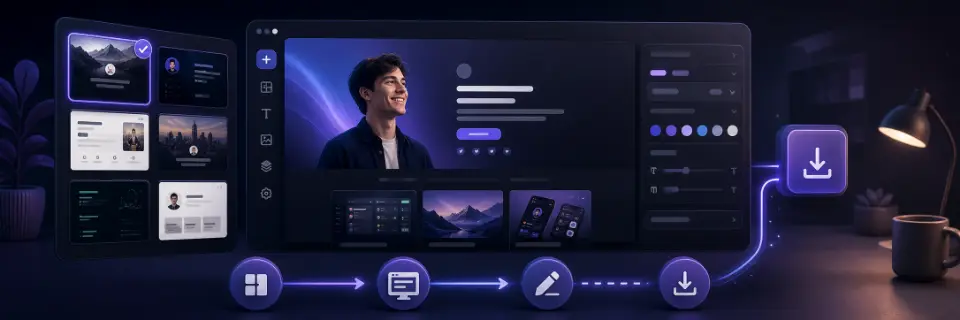
This tutorial walks through the basic PortfolioDIY flow: pick a template, replace its sample content with your own, preview the result, and export the site. You do not need an account, a credit card, or design experience to start.
In this tutorial
Pick a template from the gallery
Open the Templates page and browse the gallery. The category filters map to career domains such as developer, design, science, media, and arts. The search box matches names and descriptions, so words like "terminal" or "minimal" narrow the list quickly.
Click any card to see the template fullscreen. This preview is the template's real exported output, so scroll through the whole page: check that the sections it ships with (projects, experience, skills) match the story you want to tell.
When one feels right, hit Start editing. A new draft is created from the template and the editor opens.
Tip: Do not overthink the first choice. Trying a second template later is usually quick once you know your headline and project list.
Make the hero yours
The left rail lists your page's sections. Select the hero — it's the first thing any visitor reads, so start there.
In the Content tab on the right, replace the sample name, role, and headline with your own. The live preview in the middle updates as you type. Write the headline the way you'd introduce yourself to a hiring manager in one sentence: "I build fast, accessible web apps" beats anything clever.
Swap in your projects
Select the projects section and open its list editor. Each entry is a small form — title, description, tech stack, link. Edit the sample entries in place rather than starting from blank fields; the samples show you the right length and tone.
Two or three clearly described projects are better than six thin entries. For each one, say what it does, what you built it with, and what was hard about it.
Delete any sample entries you don't replace — the checklist will remind you if you forget.
Pick a look
Switch to the Style tab. Templates that support theme presets offer Light, Bold, and Dark — switching is instant and never touches your content. Every template also exposes manual controls for color, typography, and spacing.
Reorder sections by dragging them in the left rail if you want, say, projects above experience. The layout reflows itself — there's no way to break it.
Check it and export
Open the checklist panel and clear any flags — a missing contact link or a broken URL is exactly the kind of thing you want caught now, not by a recruiter.
Use the full-screen preview to read your whole site top to bottom once, like a visitor would. Then hit Export: you get a ZIP containing the complete static site, ready for the deploy tutorial below.
Tip: The export is free and unlimited. Export early, look at the code, and re-export whenever you change something.
Reference-style reading instead? See the documentation.